Guide
Import an ICS calendar and print it
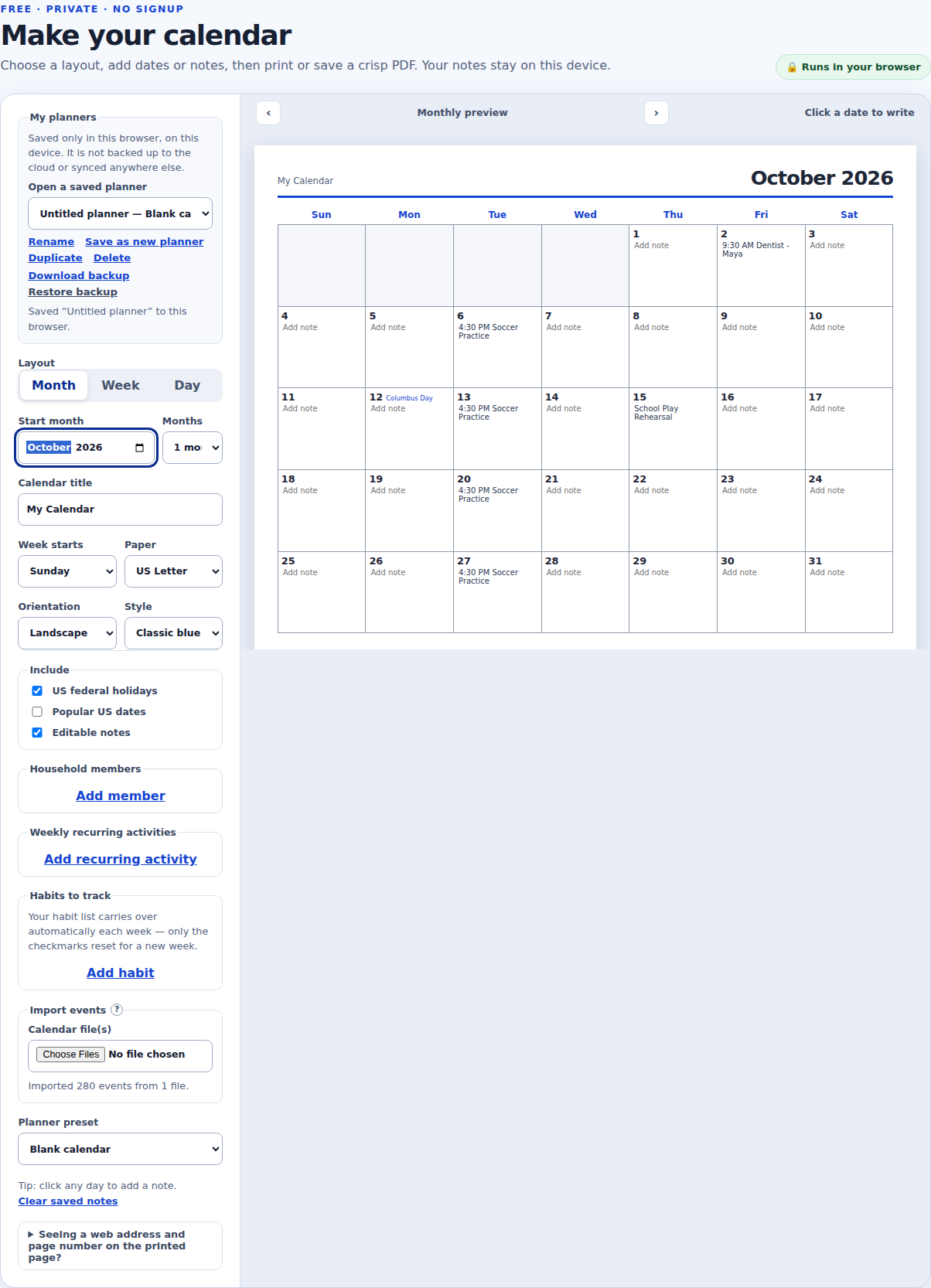
Most calendar apps can export your events as a standard .ics (iCalendar) file. Joly Calendar’s calendar maker reads that file directly in your browser and turns each event into an editable note on a printable monthly page, with no account and no upload to a server.
Steps
- Export a .ics file from your calendar. In Google Calendar (on a computer, not the app): the gear icon → Settings → Import & export → Export downloads a .zip with every calendar; to export just one, hover over it under “My calendars,” choose More → Settings and sharing, then Export calendar. In Outlook on the web: Settings → Calendar → Shared calendars → Publish a calendar gives you a downloadable ICS link. On a Mac, Apple Calendar’s File → Export → Export… saves the selected calendar as a .ics file. These menus move around occasionally, so search that provider’s help center for “export calendar ics” if a step looks different.
- Open Import events in the calendar maker. On the calendar maker below, find the “Import events” section of the settings panel and choose your file under “Calendar file(s).” You can select more than one .ics file at once if you have them.
- Check the result. A status line reports how many events were imported. Imported events show up as regular notes on the day they fall on, in Month and Week view, and in their own “Calendar events” box in Day view. Since they’re just notes, you can edit or delete any of them.
- Print or save as PDF. Use Print / Save as PDF for your browser’s print dialog, or Download PDF for a file. Paper size, orientation, and which month or months to include are all in the same settings panel.
Good to know before you import
- A recurring event with no end date (a weekly standup, say) will appear on every matching day across the years this site currently covers (2026–2030 right now), not just the near future.
- The file is read on your device only; it is never uploaded to Joly Calendar or anywhere else. Imported events are then saved the same way typed notes are: in this browser’s local storage, on this device.
- Uploading the same file again does not create duplicate entries; each event is matched by the stable ID inside the file.
- A file that isn’t a valid calendar export shows a message instead of importing garbage or crashing the page.
- This is a one-time import, not a live sync. If the source calendar changes later, export it again and upload the new file to bring the printed page up to date.
- The “Copy share link” button does not carry imported events, notes, or any other saved content, only display settings; see the privacy policy for exactly what a share link does and doesn’t include.
Free · private · no signup
Make your calendar
Choose a layout, add dates or notes, then print or save a crisp PDF. Your notes stay on this device.